


Software and Editing Classes
Course Overview
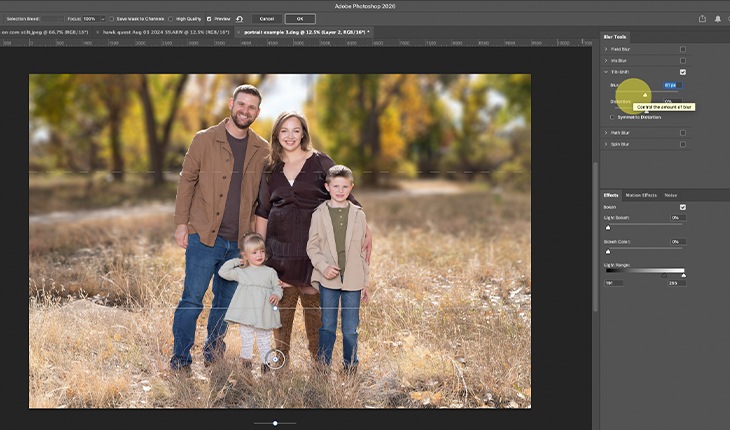
The last skill to master in Photoshop is using filters and smart objects effectively. When we apply filters we can create a nearly limitless number of effects, such as blurring, adding noise, liquifying, or even the editing capacity of Adobe Camera RAW. But knowing how to use filters in a larger edit opens up enormous creative freedom, such as generating your own depth of field blur or moving a subject from one part of the frame to another.
After we have tackled filters we will examine printing images from Photoshop, choosing your color space to match your production method, how to assign a profile to your file, and how to use rendering intent to make sure your image turns out the way you imagine it will.
What you’ll learn
- What are Smart Objects and how do they work
- Using smart filters to blur, add noise, or edit
- Moving a subject to another part of the frame
- What color space and profile to use for your print
- How to navigate rendering intent, and camera and paper profiles
This class uses example images, which will be provided at the beginning of class. You will be able to watch a demonstration of a given principle and then practice the skill yourself as part of the class. You will want the most recent version of Adobe Photoshop to take maximum advantage of this class. Also note that this class uses Photoshop, not Photoshop Elements.
Tuition: $59.00
CLICK HERE TO REGISTER!
Prerequisites
Students should obtain a subscription to and install Adobe Photoshop prior to the first session. Students must have experience with Photoshop before the first session, and having images ready to import or having a catalogue already created will prove helpful. Moreover, to get the most out of this class, you will want to be shooting your images in RAW quality.
Each session will be recorded for attendees to review for up to 14 days after.
Did you miss out on Photoshop 101? Click below if you need to learn the basics first - Click Here to Register for Photoshop 101
Photoshop 201 is a great way to refamiliarize yourself with the core concepts if you haven’t used the program in a while - Click Here to Register for Photoshop 201
Photoshop 301 will show you some techniques we guarantee you have not seen before - Click Here to Register for Photoshop 301
About your Instructor:
Joe Klocek has worked in the photographic industry as a photographer, salesman, and instructor since 2005. Today he teaches courses on a variety of topics, including macro, wildlife, exposure theory, videography, and studio lighting. In the past few years he has been a guest speaker for photographic societies and travel expositions. He lives in Denver with his wife, son, and unmanageable book collection. You can find him at the Park Meadows store.
Online Event: Tuesday, August 25, 2026: 6:30pm-8:30pm MT (5:30pm-7:30pm PT)
CLICK HERE TO REGISTER!
Cancellation Policy:
> 2 weeks prior: Fully refundable.
< 2 weeks prior: No Credit or Refund
Registration instructions:
You will receive your link to attend shortly after you complete your registration. Please be sure to check your Junk/Spam Folder in case it ends up there.
- Your email will come from Mike's Camera School
- Open your email and click ADD TO CALENDAR
- From there you can easily click JOIN or Copy and paste the Link into your browser.
- On class Day, you will need to enter your registered email address to join the class.
- Do not share this link or attempt to open on multiple devices or browsers.
If you lose your registration,
- Return to the original class page to register
- Click to Register
- Look for this message "Registered with email but lost the Ticket? Resend Guest Ticket"
- Click and follow instructions.